{{PROGRAM}} is a new tool for reading, writing, and receiving SKAA APIs via either an Ursula transmitter or a Serial connection to a SKAA device that has the Advanced Mode UART Interface feature enabled.
User Interface
{{MAIN}}
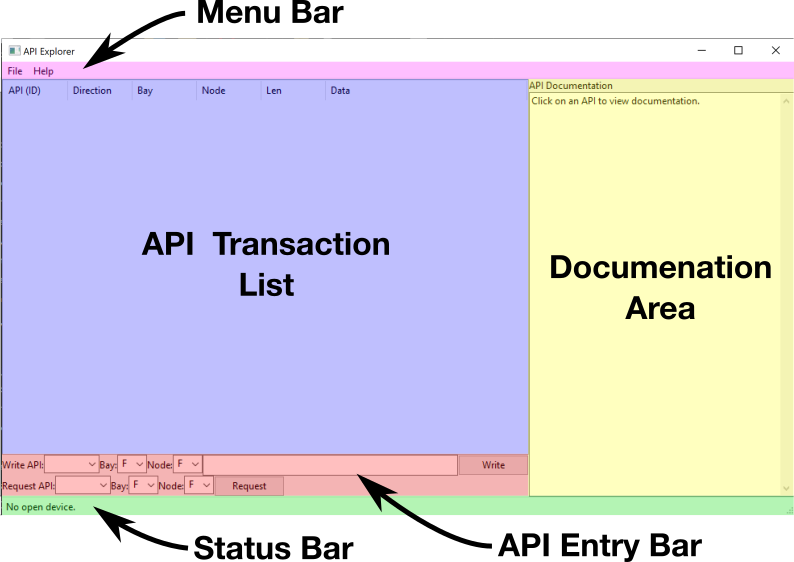
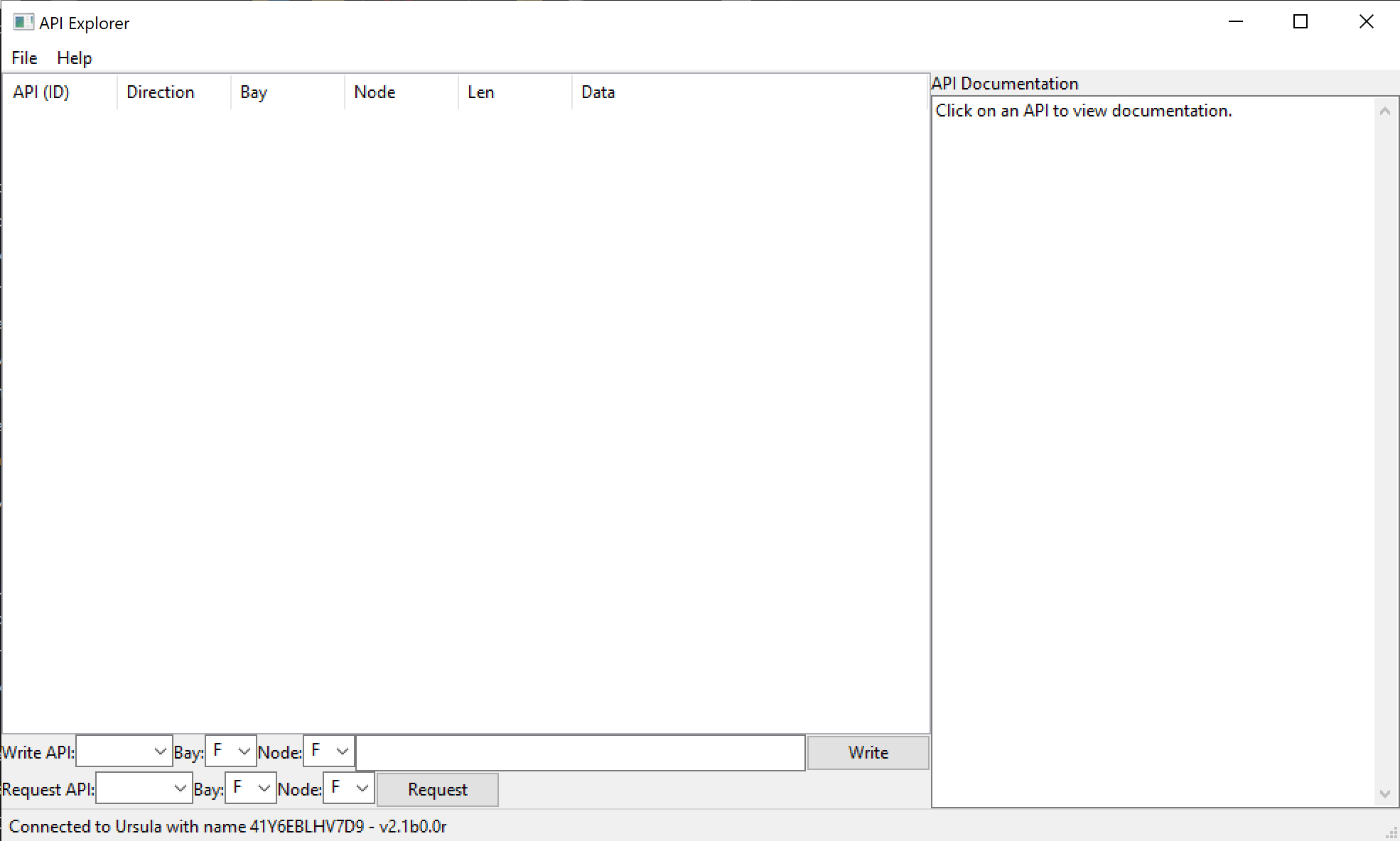
After opening API Explorer you will see the Main Window
{{MENU}}: Menu for opening and closing devices
{{TABLE}}: Chronological table of all APIs sent and received
{{DOCS}}: Displays documentation for selected APIs, either from the {{TABLE}} or {{SENDER}}
{{STATUS}}: Displays current connected device and function of buttons and controls that are hovered over
{{SENDER}}: Controls for sending read and write APIs
{{TABLE}}
The {{TABLE}} is a table of all the APIs either sent or received by {{PROGRAM}}. Each row is an API that was sent or received and the columns are the parts of each API. These columns are summarized below:
API (ID): The name of the API received or sent
Direction: Indicates whether the APIs was written or read to or received from a connected device
Bay: Indicates Bay the API originated from for applicable APIs when connected to Ursula (for Serial devices Bay information is unavailable and defaults to 0)
Node: Indicates Node the API originated from for applicable APIs when connected to Ursula (for Serial devices Node information is unavailable and defaults to 0)
Len: Number (Length) of Bytes contained in an API payload. (Note read request APIs do not have a payload)
Data: Data (bytes) sent in a write API or received from a connected device. (Note read request APIs do not have a payload)
{{DOCS}}
The {{DOCS}} contains a text description of an API selected in either the {{TABLE}} or {{SENDER}} area. An example description for the hVOL API is shown below and important parts of the description are described.
              hVOL = 0x2 [2 Byte(s)] (Read / Write)
              Host Volume
              Byte 1: Left volume
              Byte 2: Right volume
Handle: The handle (hVOL) of the API is shown first
Index: The hexadecimal index (0x2) of the API is also shown
Length: The length or number of bytes ([2 Byte(s)]) in the API payload is also shown
Read/Write: Read/Write restrictions on the API ((Read / Write))are also shown
Description: A short description (Host Volume) of the API operation may also be included
Payload Description: A description of the purpose of each byte in the API may also be included
Connecting to a SKAA Device
To open a connection to an available SKAA Device follow these steps:
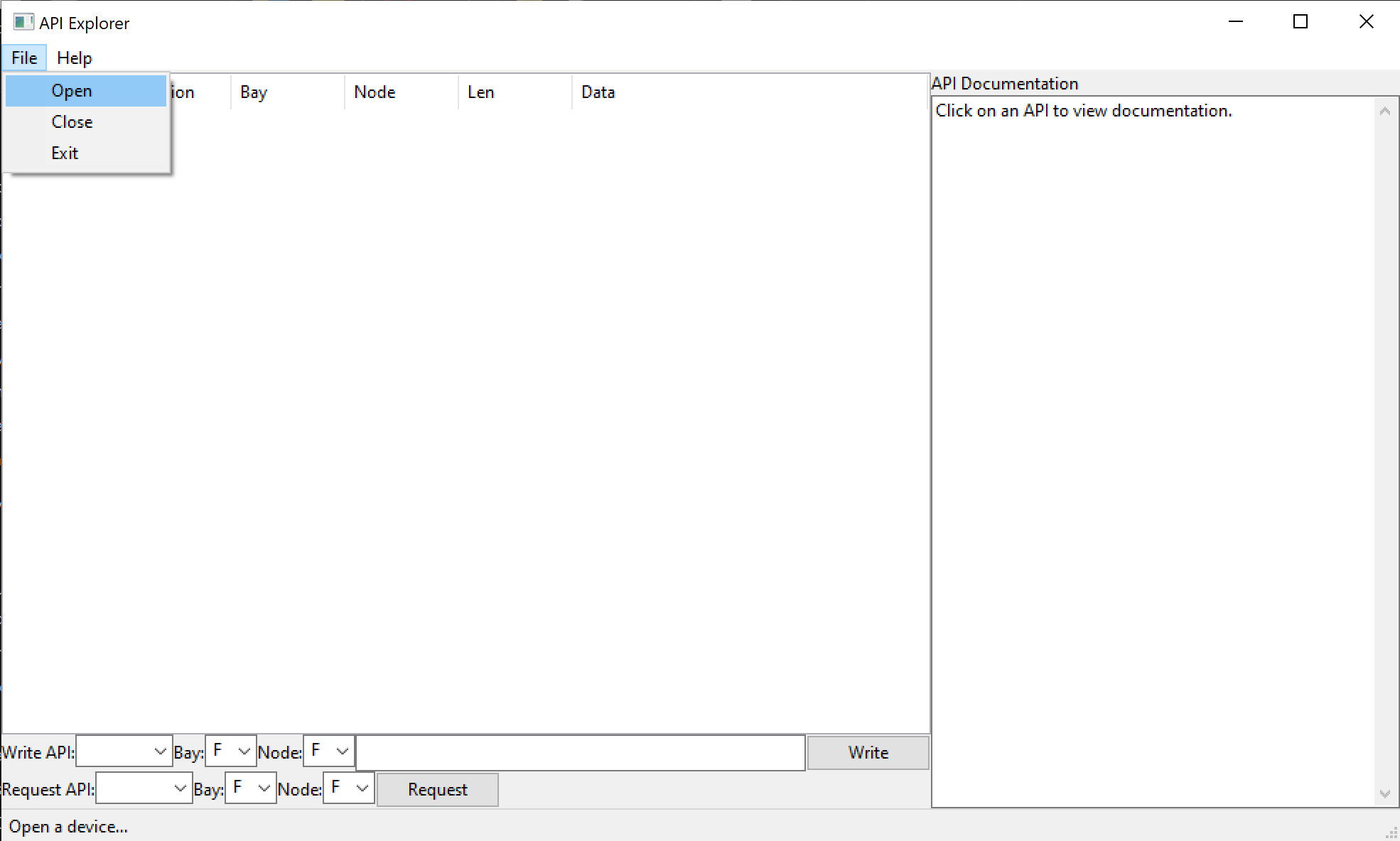
Select the File menu and select the Open option to open the {{OPEN}}
Selecting Open option in File menu{{OPEN}}
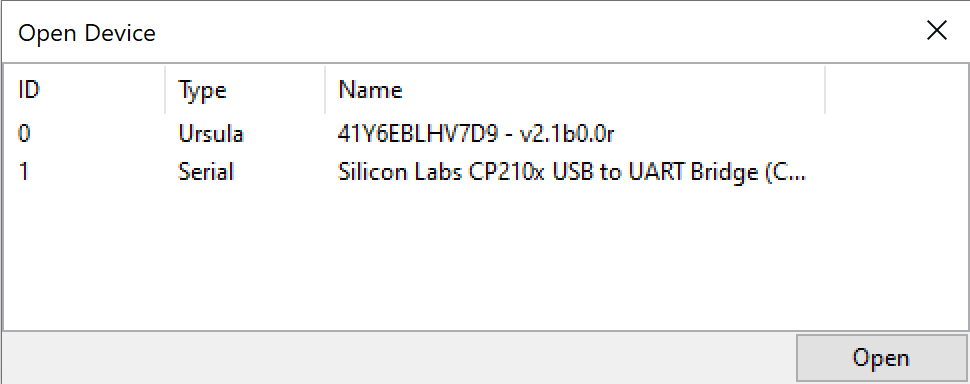
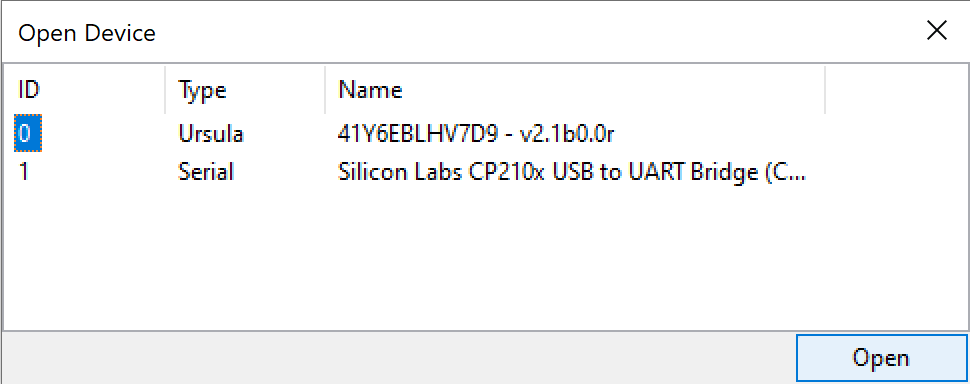
Select the device you want to connect to from the list of devices and select the open button in the bottom right corner of the "Open Device" window
Selecting Ursula Device from the {{OPEN}}
If API Explorer sucessfully connects to the device the {{OPEN}} will close and the {{STATUS}} will display "Connected to Device with name device name"
Successfully connected to Ursula!
Troubleshooting
If you cannot connect to a SKAA device that device might be in use by another program. This can be solved by either closing that program or disconnecting and reinserting the UART convertor or Ursula. For a Serial connections make sure the UART convertor TX and RX pins are connected to the RX and TX pin of the SKAA Device respectively.
{{PROGRAM}} Operation
Receiving APIs
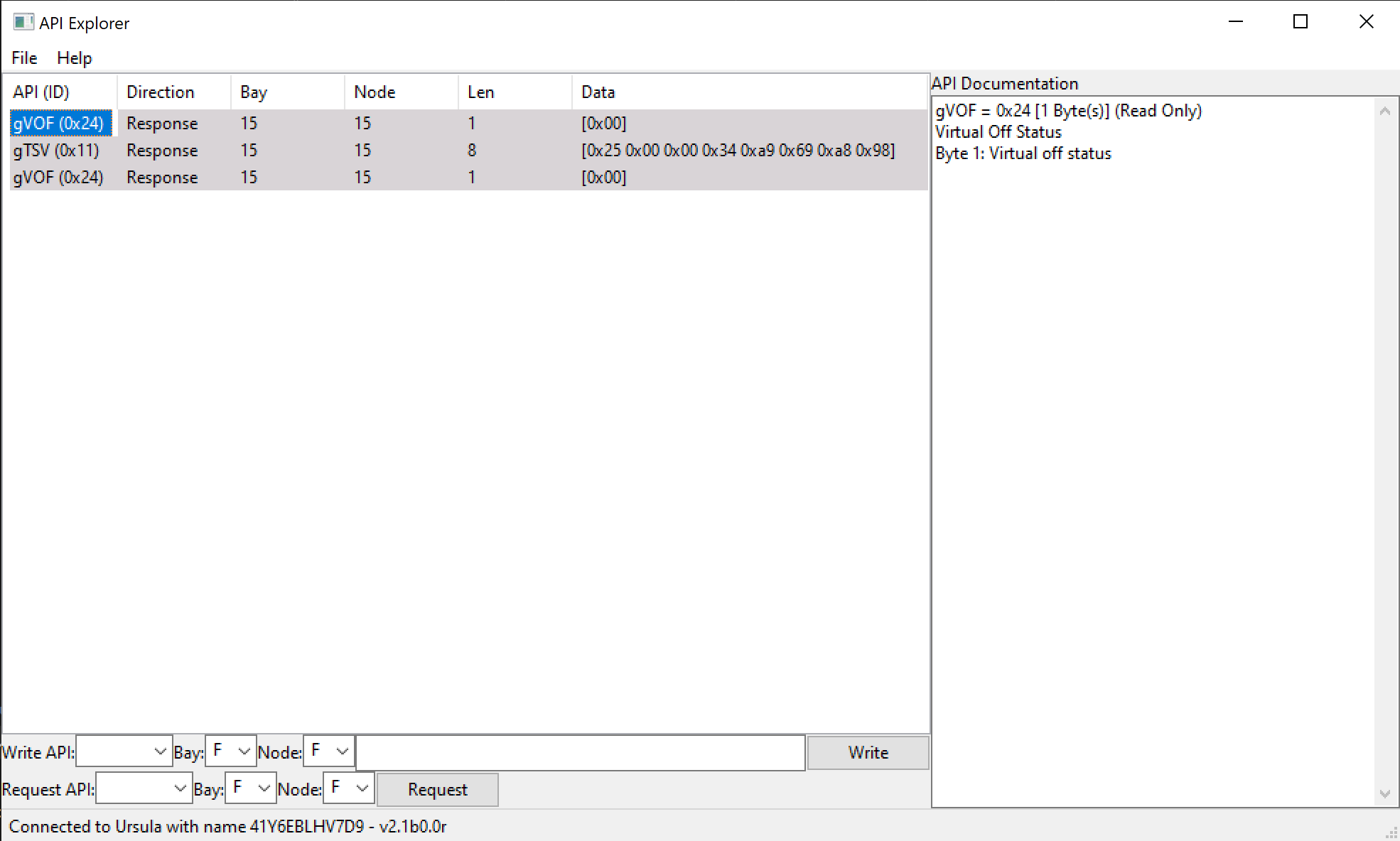
Once {{PROGRAM}} is connected to a device, all received APIs will be displayed in a row of the {{TABLE}} automatically.
Received unrequested gVOF and gTSV APIs
Reading an API
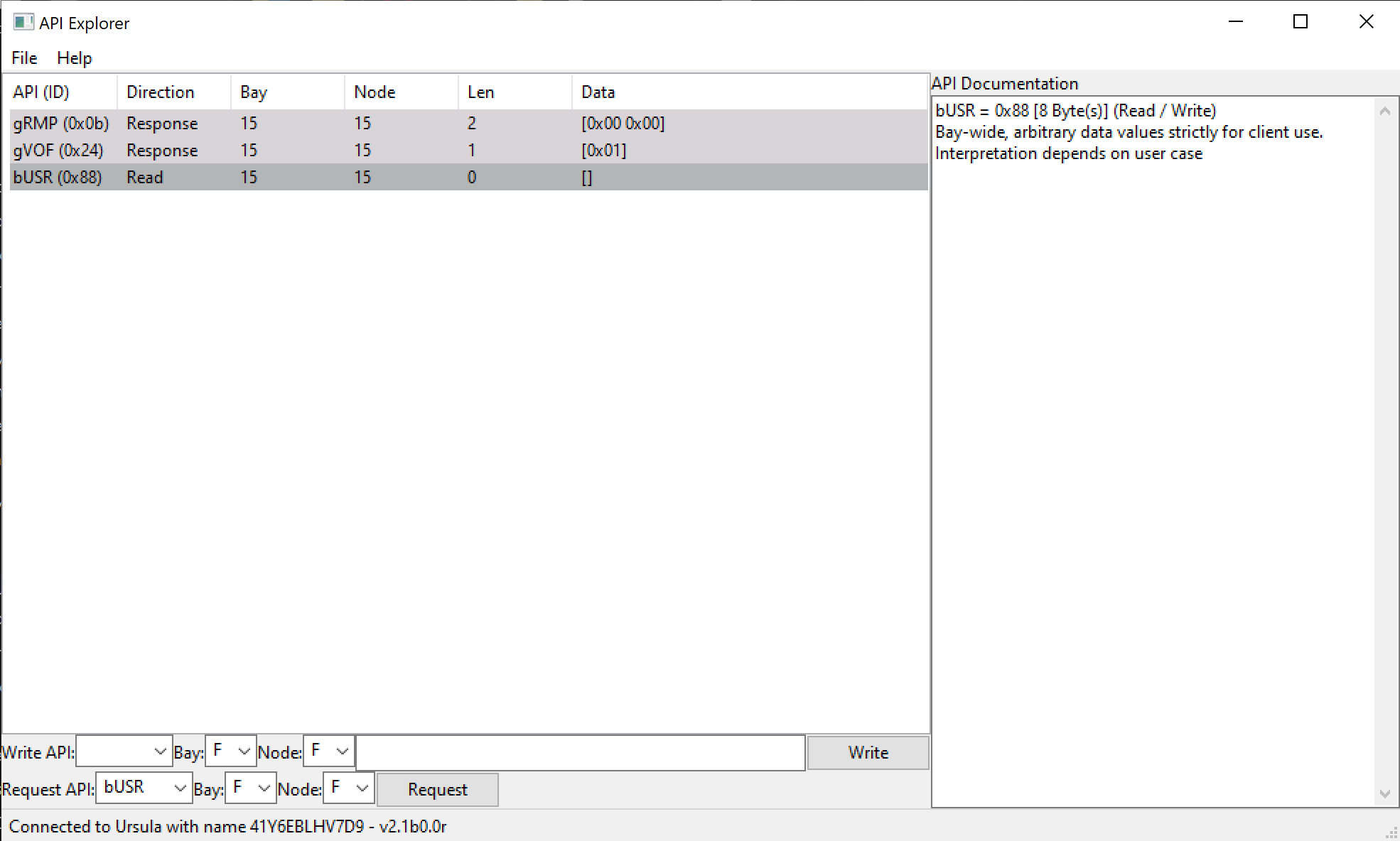
To read an API to a connected device select or type the API in the drop-down box in the Request API row of the {{SENDER}}
With Ursula, for applicable APIs, select the bay and node destination of the API. To send the API to all bays and nodes select F from the bay and node drop-down box.
Select the Request button to send the read request. The read request will be added to the {{TABLE}}.
If the read request is successfull, the response will be displayed in the {{TABLE}}.
Requested a bUSR API from Ursula
Writing an API
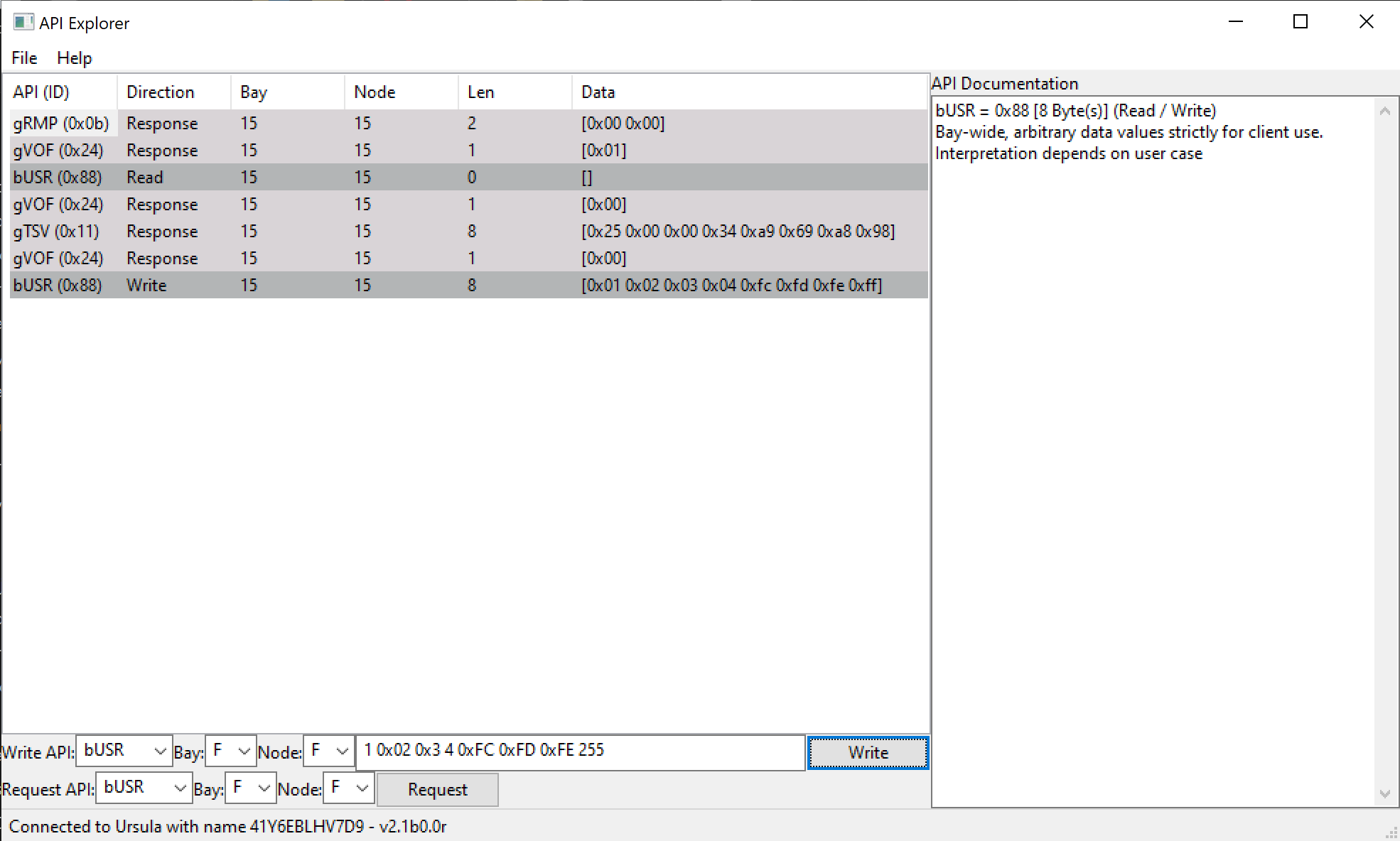
To write an API to a connected device select or type the API in the drop-down box in the Write API row of the {{SENDER}}
With Ursula, for applicable APIs, select which bay and node to read the API from. To read the API from all bays and nodes select F from the bay and node drop-down box. Each bay and node will have a separate response.
Enter the API data to write in the text box. The data may be written in either decimal or hexadecimal separated by spaces. The number of data bytes must exactly match the payload length of the API, as shown in the {{DOCS}}
Select the Write button to write the API. The write will be added to the {{TABLE}}.
The write operation may generate a response if it changes the API data, which will be shown in the {{TABLE}}